UX is what happens. UI is what you see.
Learn to look beyond the screen and design the whole experience.
Read the guideIdeas for building your UX craft, working thoughtfully with AI, and finding your voice in product design.
Make a small digital product, a service offer, or a prototype with Ashley Kays Rabbitt. Practice validation, AI-assisted design and building, feedback, and a practical launch test.
December 7 & December 14, 2026
Mondays, 7–9 p.m. Eastern · Free for both Mondays
Zoom or in person in West Palm Beach
Optional Zoom support included: Orientation December 3, 7–8 p.m. EST; office hours December 8, 7–8 p.m. EST; December 10, noon–1 p.m. EST; December 13, 4–5 p.m. EST. Workbook and 30-day teaching replays included.
See dates & request a free place →One free request covers both Mondays. There are 20 total live places. Ashley reviews availability and confirms each place separately by email; a request does not reserve a seat. No card or paid session is required. Software and hosting costs may be separate.
Follow a worked booking example, edit the review for your own flow, and leave with three priorities and a practical test plan.
Try the free AI Flow Review Kit →No signup needed · Optional $750 UX Decision Review with Ashley
New practical guide · November 15, 2026
A practical UX guide to MCP and WebMCP, with tool contracts, review states, browser code and a step-by-step design exercise.
Read the illustrated guide →22 guides to Lovart, Higgsfield, Astra, Claude Design, Figma Make—and the process, evidence and craft that make their output useful.
A practical workflow for exploring campaign assets, protecting brand character, and judging what is ready to leave the canvas.
Read & try it →Tools · 3 minPlan useful visual stories, concept videos and campaign assets without confusing generated footage with a working product.
Read & try it →Tools · 3 minHow to brief Astra, compare design outputs fairly, and judge typography, interaction, accessibility and brand fit.
Read & try it →Tools · 3 minUse documented design and handoff capabilities with a structured brief, explicit states and a human review of what the prototype actually does.
Read & try it →Tools · 3 minA focused way to move from existing design context to a realistic prototype, a useful study and an honest handoff.
Read & try it →Process · 3 minA complete working loop with clear inputs, useful AI tasks, human decisions and an artifact at every stage.
Read & try it →Research · 3 minTurn an attractive concept into assumptions, real-world tests and a decision about what to do next.
Read & try it →Research · 3 minSeparate inspection, automated checks and participant evidence so each finding supports the right kind of decision.
Read & try it →Research · 3 minUse AI to prepare, moderate selectively and analyze carefully while keeping the study grounded in actual behavior.
Read & try it →Research · 3 minA source-aware research workflow for planning interviews, assisting synthesis and avoiding convincing but unsupported insights.
Read & try it →Process · 3 minCombine analytics, qualitative evidence and controlled changes without treating a model prediction as a conversion forecast.
Read & try it →Craft · 3 minAllocate work by consequence, originality, ambiguity and ease of verification—not by whether a tool can produce an answer.
Read & try it →Craft · 3 minMake your judgment, domain knowledge and contribution visible when polished mockups have become easier to produce.
Read & try it →Craft · 3 minBuild a visual point of view through references, content, typography, composition and deliberate editing.
Read & try it →Craft · 3 minReview synthetic people, voice, motion and conversational behavior for coherence, honesty and user control.
Read & try it →Craft · 3 minReview the complete experience with a repeatable rubric, explicit release blockers and evidence attached to every judgment.
Read & try it →Business · 3 minBuild a focused pipeline around observable problems, credible proof and useful conversations.
Read & try it →Business · 3 minTurn your expertise into a clear offer, useful proof and a manageable publishing system.
Read & try it →Business · 3 minSell a decision-focused study with transparent methods, real participants and useful findings.
Read & try it →Operations · 3 minChoose repeatable work, define triggers and outputs, and make failures easy to spot and recover from.
Read & try it →Operations · 3 minOrganize assistants around artifacts and review responsibilities without mistaking multiple model opinions for independent evidence.
Read & try it →Landscape · 3 minA dated scan of four established publishers, with practical opportunities for deeper learning and original work.
Read & try it →Search guides by topic, format and time →
Use before-and-after comparisons to explain a decision, then find out whether the change helps people complete the task.
Read & put it to work →PRODUCT THINKING / 5 minTurn a list of concerns into a useful investigation order by considering blocked tasks, reach, evidence and the cost of being wrong.
Read & put it to work →WORKING WITH A COACH / 5 minA focused review starts with one journey, a decision and the evidence you already have. Here is how to prepare without redesigning everything first.
Read & put it to work →AI + UX / 6 min read
Spotify’s Honk shows why shared AI work needs clear ownership, inspectable evidence and useful recovery. A practical UX guide for product teams.
Read & put it to work →AI + UX / 4 min read
A five-step UX walkthrough for context, consent, ownership, status and recovery—plus an illustrative API response that makes the next action clear.
Read & put it to work →AI + UX / 4 min readEvaluate the transition from an AI answer to a branded agent with a practical trust, context, and handoff review.
Read & put it to work →AI + UX / 6 min read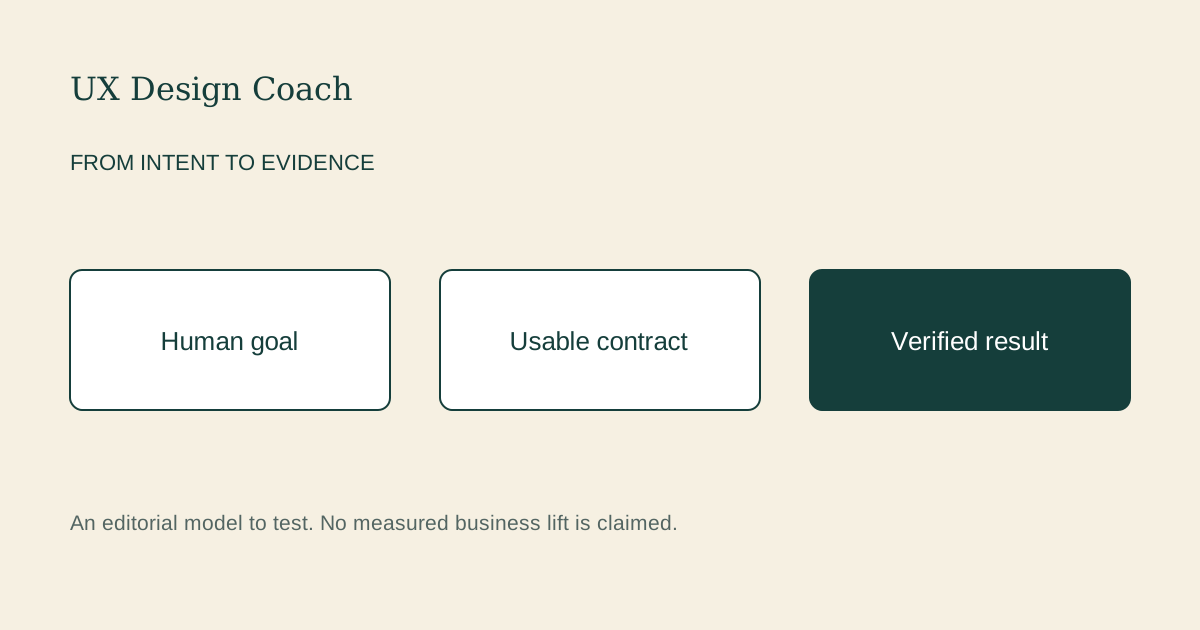
Design the journey between a human goal, an agent’s tools and a verified outcome—with usable contracts, approval, recovery and evidence.
Read & put it to work →AI + UX / 4 min read
Find ambiguous labels, incomplete error messages, and misleading promises before testing a flow with real people. Includes a review rubric and two reusable prompts.
Read & put it to work →AI + UX / 4 min readTurn a confident design opinion into testable assumptions, useful alternatives, and a decision record. Includes prompts for balanced critique and research planning.
Read & put it to work →Product thinking / 5 min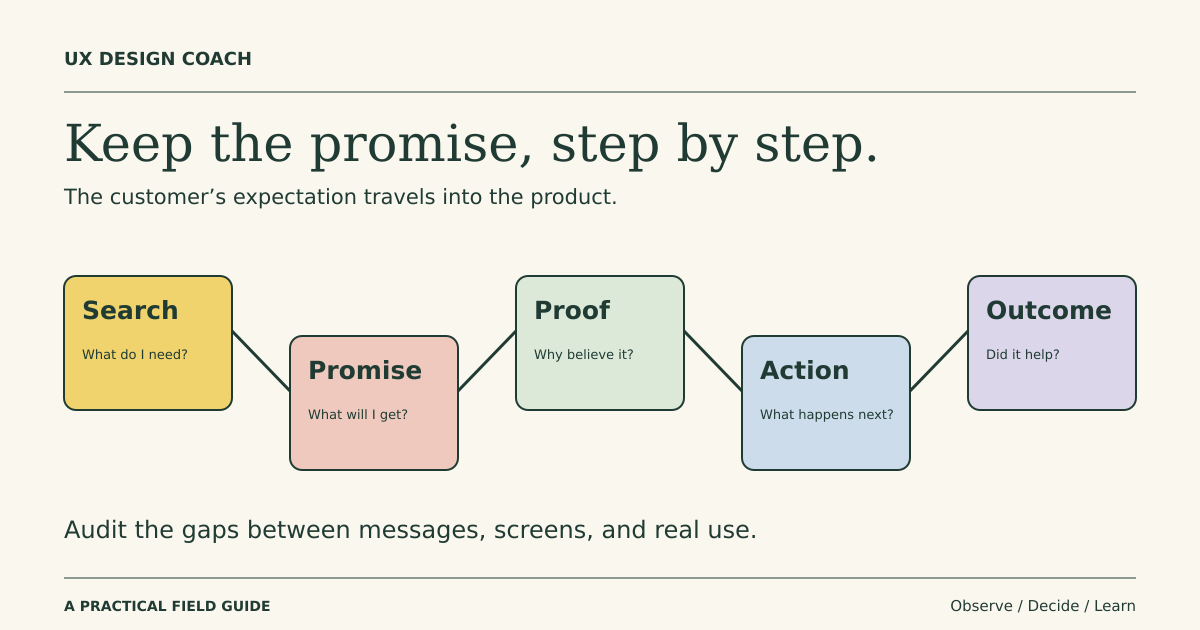
Use search intent, positioning, and acquisition context to improve UX decisions while protecting clarity, accessibility, and customer trust.
Read & put it to work →Design careers / 6 min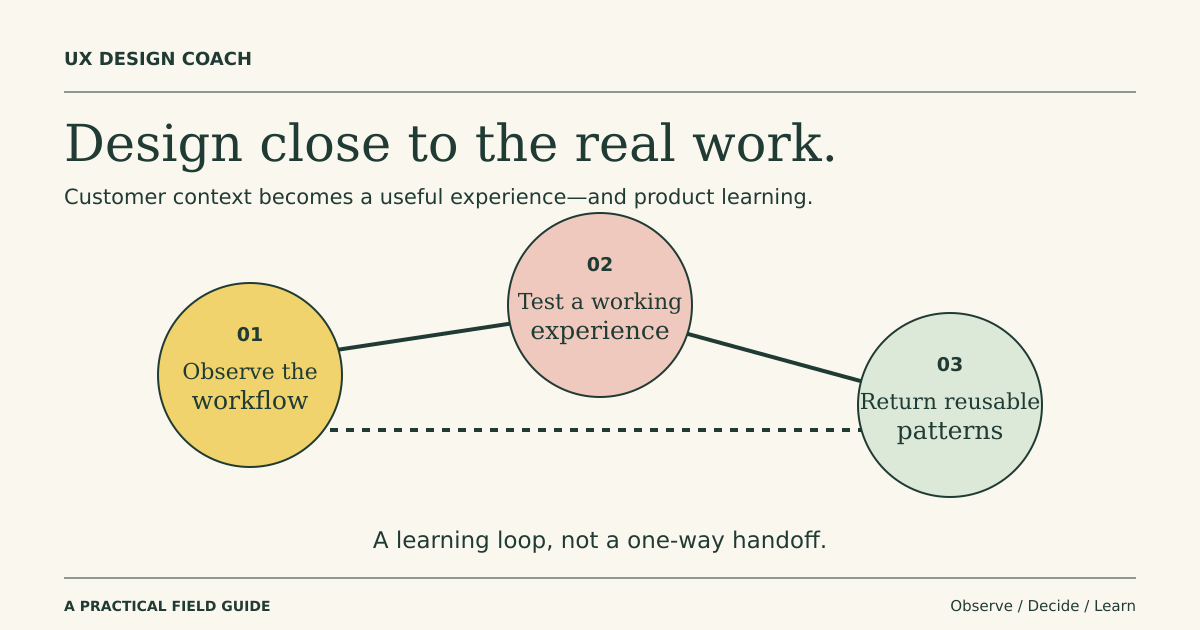
Understand the emerging design role, how it differs from forward deployed engineering, and how to demonstrate customer-facing delivery without overstating your experience.
Read & put it to work →CAREER & CRAFT / 3 min readYou can show strong design judgment without inventing a conversion lift. Make the problem, evidence, decisions, and limits easy to follow.
Read & put it to work →PRODUCT THINKING / 3 min readThe useful unit of onboarding is the first meaningful customer outcome. Follow the whole path to that outcome.
Read & put it to work →AI + UX / 3 min readA convincing screen can hide missing behavior. Review the states, data, and decisions before treating a prototype as a product.
Read & put it to work →CAREER & CRAFT / 3 min read“What do you think?” invites opinions about everything. A useful critique starts with the decision you need help making.
Read & put it to work →UX PRACTICE / 3 min readThe happy path is only part of the product. A useful handoff explains behavior, constraints, and recovery as clearly as appearance.
Read & put it to work →AI + UX / 3 min readUse faster production to practice the work that makes a product worth building: framing problems, testing assumptions, and explaining decisions.
Read & put it to work →AI + UX / 4 min readChoose one real task, prototype a useful improvement, and test a small service or product without inventing research or portfolio outcomes.
Read & put it to work →AI + UX / 5 min readOrganize AI help around research preparation, exploration, prototyping, and review while keeping design decisions grounded in real people and context.
Read & put it to work →Learn to look beyond the screen and design the whole experience.
Read the guideTurn assumptions into questions you can investigate with real people.
Read the guidePlan a small usability study around the riskiest part of your idea.
Read the guideA practical workflow that keeps evidence and judgment in human hands.
Read the guideUse AI to assist synthesis without turning guesses into research findings.
Read the guideA practical review for AI-generated screens and interaction flows.
Read the guideUnderstand the designer’s role in framing problems and shaping product decisions.
Read the guideMake your design reviews clearer, more focused, and easier to act on.
Read the guideSimple ways to practice noticing, questioning, and improving everyday experiences.
Read the guidePractical ways to use AI to prepare for, organize, and deepen real user understanding.
Read the guideUse AI to widen your options, stress-test ideas, and spend more time on the decisions that matter.
Read the guideConnect your design work to the change people need—and use AI to help measure whether it happened.
Read the guideWhat to tell an AI tool so its suggestions fit your users, your constraints, and your goals.
Read the guideUXDesignCoach Daily brings one practical workflow or automation, three sourced developments, and guidance for applying AI to UX and product work. Keep human research, evidence and judgment in the loop.
Each issue includes clear steps, a reusable prompt or checklist, and checks before you use the output. Delivered around 8 a.m. Eastern.
Opens a dedicated MailerLite signup with email confirmation. This is separate from the Starter Kit and occasional updates; joining either does not enrol you in the other. Unsubscribe any time. Privacy.