
A coding agent can finish a change before the people around it have agreed what the change should mean. That is a UX problem as much as an engineering problem. Someone has to understand what happened, judge the evidence, make the next decision and recover when the result is wrong.
In its June 3, 2026 engineering article, Spotify describes Honk, a background coding agent connected to its development platform and available through Slack. It also describes a move toward shared sessions and team collaboration. For designers, the interesting question is what happens when an agent becomes part of a group’s ongoing work.
Spotify reported a 76% increase in pull request frequency. A pull request is a proposed code change, not a verified customer improvement. More proposals create more moments in which people must understand, compare, approve or redirect work. Those moments deserve deliberate interaction design.
Design for the whole team’s understanding
A chat history is useful context, but it is an awkward system of record. The person who made a request may know why it matters. The engineer reviewing the change may arrive hours later. A designer may see only a preview. An agent may have acted on an earlier message that a later discussion quietly superseded.
The interface needs a stable task record containing the goal, scope, current version, evidence, unresolved questions and responsible people. Conversation can surround that record. It should not be the only place where a critical decision lives.
The following example is fictional: a small software team wants to help new users complete setup and reach their first useful task. The agent will propose an improvement to the empty state. The team still needs to decide whether the proposed experience actually helps.
1. Separate the request from the authority to release
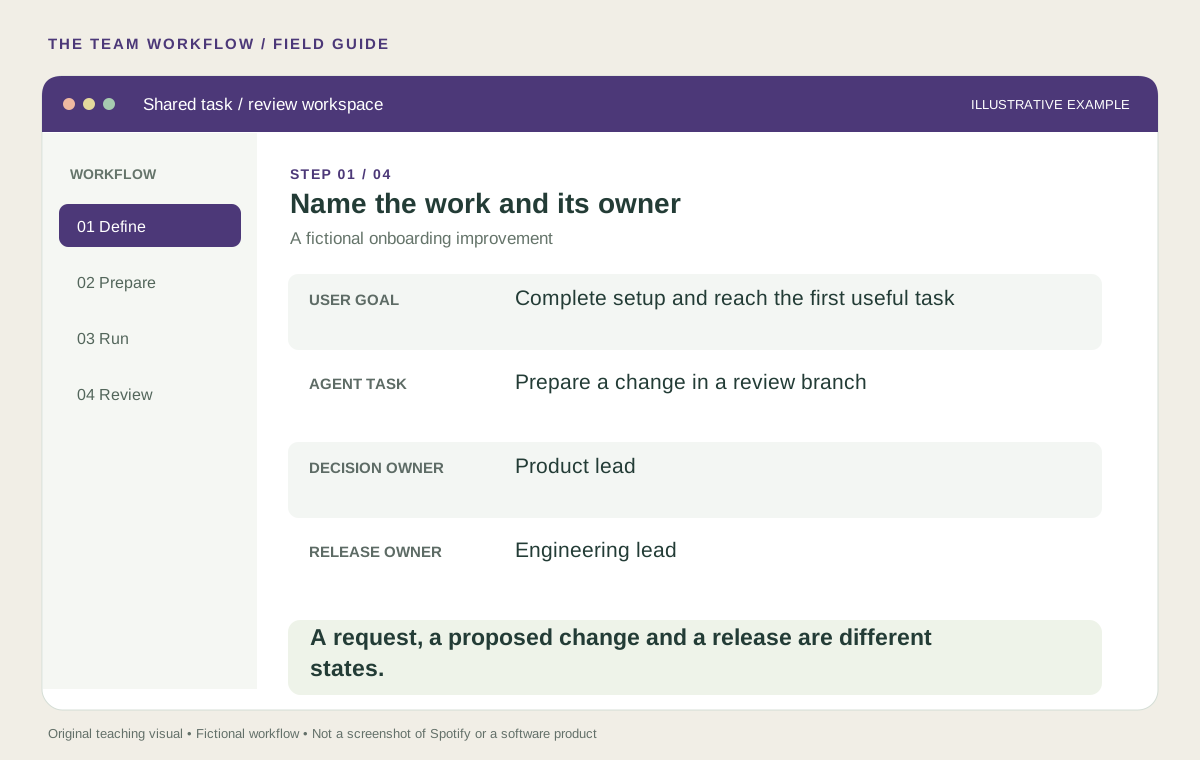
Start with a brief that a reviewer can understand without replaying the conversation. Name the user problem, the relevant screen, the allowed change and the acceptance criteria. Put ownership on the task itself. “The team will review it” is less useful than a named product decision owner and a named release owner.
Use explicit states such as requested, preparing, ready for review, blocked, accepted and released. An accepted design is not necessarily released software. A successful build is not necessarily an accepted design. Distinguishing these states prevents a green indicator from making a broader promise than the evidence supports.
For the onboarding example, the allowed scope might be guidance and labels in the existing empty state. A change to account permissions would be outside that scope. Make the boundary visible before the agent starts and again if the proposed change crosses it.
Try this: give a teammate only the task record. Ask them what the agent is allowed to change and who can approve it. If their answer differs from yours, improve the record before improving the prompt.
2. Give reviewers an evidence packet they can use
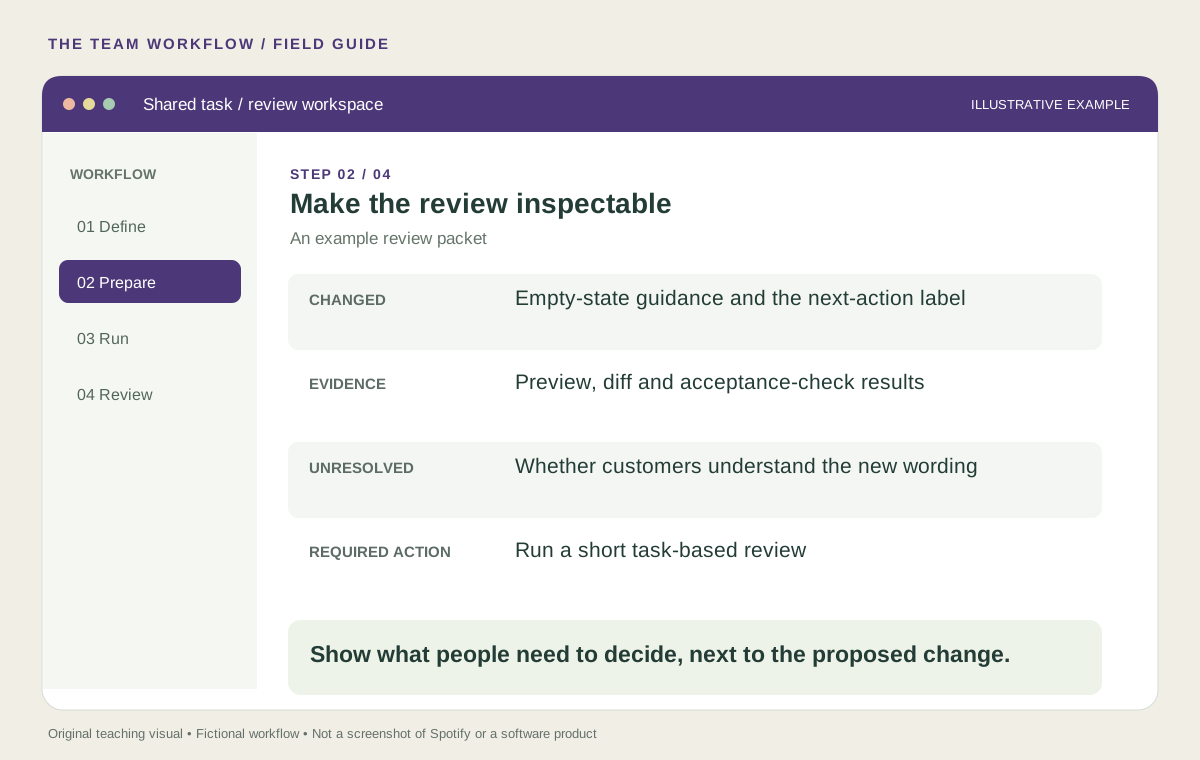
A summary saying “improved onboarding” asks the reviewer to trust a conclusion. A useful handoff shows the preview, the actual change, the checks performed and the questions still open. Put the most consequential changes first. Link to detail instead of forcing every reviewer through raw logs.
For our example, the packet should show the original and proposed empty states, explain the intended behavior, and report checks for keyboard use, narrow screens, missing data and the next-action destination. It should also say what has not been established: perhaps no new user has tried the wording yet.
A test result needs a recognizable meaning. “Passed” should identify the check and the version it covered. If the preview changes after review, make that change visible. Otherwise a teammate can accidentally approve work they have never seen.
Spotify’s dataset-migration account also describes missing automated tests requiring manual verification. An interface should make that gap visible rather than displaying generic confidence.
3. Separate technical review from experience review
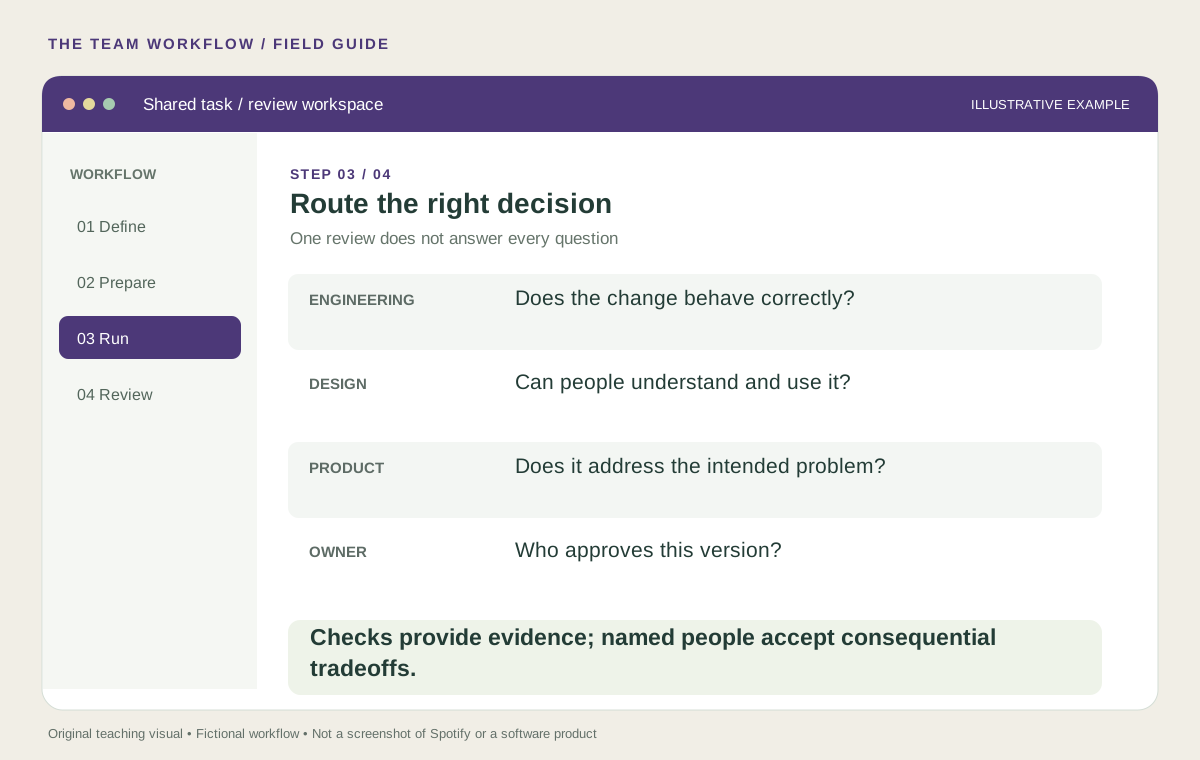
Different reviewers answer different questions. Engineering checks whether the change works within the system. Design checks whether people can understand and use it. Product checks whether it addresses the intended problem and deserves release. These responsibilities can belong to one person in a small team, but the questions remain distinct.
For the empty-state improvement, a technically correct button can still send a user toward the wrong task. Clear copy can still explain an unnecessary step. A realistic prototype can still be based on an unsupported assumption. Give reviewers a specific question and the evidence needed to answer it.
Use task-based evaluation: ask a representative person to reach the first useful task without coaching. Observe where they hesitate, what they expect and whether they complete it. Avoid asking only whether they like the new screen. Record the actual observation separately from the team’s interpretation.
Design tip: keep the review queue short enough for people to inspect the work. If agent output outruns review capacity, adding more previews can make decisions slower. A visible queue with owners and aging items helps the team manage the bottleneck it actually has.
4. Make blocking, correction and recovery ordinary actions
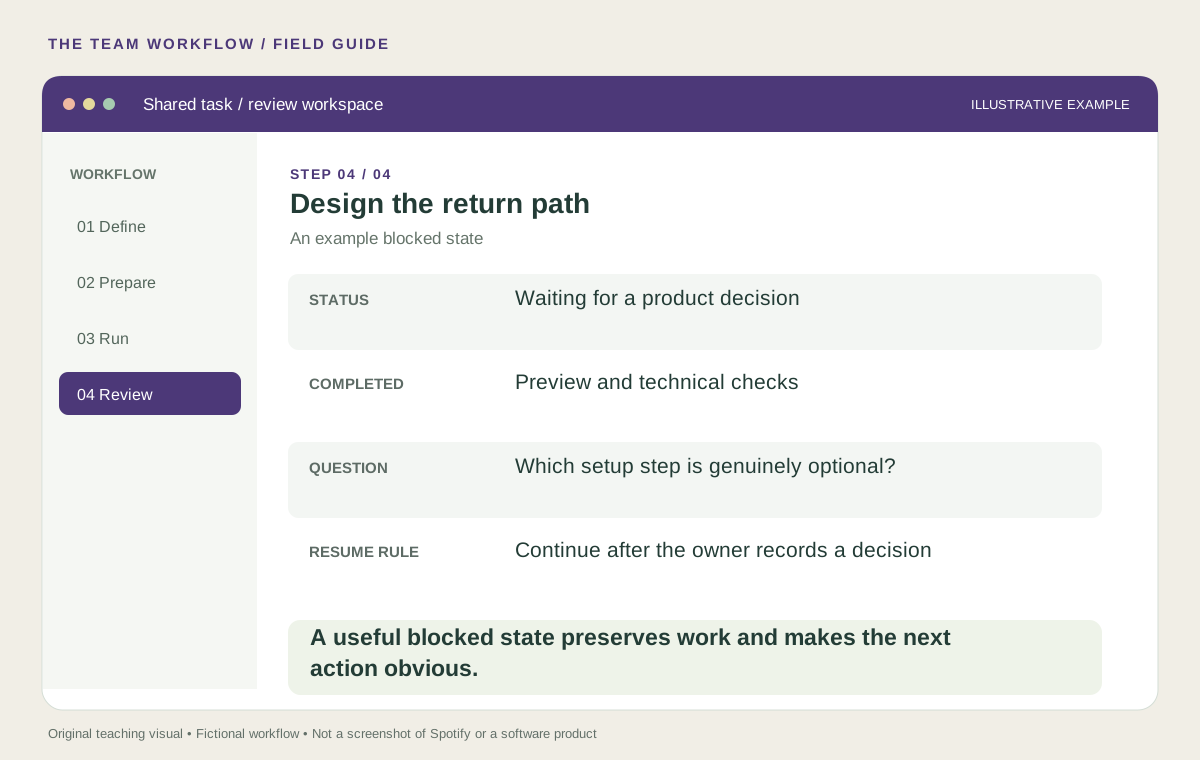
An agent should be able to stop productively. A blocked state should explain what was completed, what is uncertain, which decision is needed and how work resumes. “Something went wrong” wastes the context already gathered.
Suppose the agent cannot determine whether a setup field is optional. A useful handoff preserves the preview, points to the relevant requirement and asks the product owner to resolve that one question. After the decision, the next run should use the recorded answer rather than guess again.
For released work, give the team a known return path: the previous version, the person responsible for reversal and the signal that triggers review. For shared sessions, also show who changed the brief. Collaboration becomes fragile when people cannot tell whether the agent is following their latest agreement.
A review prompt to adapt
Review this proposed change against the agreed user task.
Show: changed behavior, supporting evidence and unresolved questions.
Separate technical checks from usability observations.
Identify any scope change and the person who must decide.
Do not describe a passed build as proof of user value.
Finish with: accept, revise or pause, and the evidence behind that recommendation.
What to measure in your first pilot
Track time from “ready for review” to a recorded decision, reviewer effort, revisions caused by missing context and cases where the wrong person received the task. Pair those workflow measures with the user’s task success. An elegant handoff that still produces an unusable feature needs further work.
Spotify’s experience suggests a useful design opportunity: when creating a proposal becomes easier, the experience of understanding and governing that proposal becomes more valuable. Build the interface around the decisions a team must make, and give every unfinished task a clear way forward.
Choose your next practical guide
- What Spotify’s coding agents teach us about building a better delivery system
- When AI makes coding faster, product decisions become the bottleneck
Build a review workflow your team can use
See the deliverables, boundaries, and next step before you book.
Explore the scope →Keep exploring
A better-looking redesign is a hypothesis. Here is how to test it.
How to prioritize UX friction without giving your product a made-up score