PRACTICAL AI + UX • LEARN. REVIEW. IMPROVE.
AI made the screens.
You make
them work.
Spot usability problems, choose the right fixes, and explain your design decisions. Free workflows and expert guidance for UX designers and product teams.
Editable example. Step-by-step guidance. No signup needed.
A time that’s
clear to everyone.
Choose your consultation
Then test whether someone can explain when their appointment starts.
START WITH YOUR NEXT TASK
What’s getting
in your way?
“It looks good.
But will it work?”
Find friction in an AI-generated flow and turn your critique into three practical priorities.
Use the free review kit →02 / BUILD YOUR PROCESS“How do I use AI
in real UX work?”
Follow practical lessons in research, prototyping and testing, with prompts you can adapt.
Explore AI for UX →03 / GET EXPERT FEEDBACK“What should
I fix first?”
Bring Ashley one journey. Get annotated feedback, three priorities and a plan for your next test.
Explore the $750 review →New to design? Start with the UX foundations →
FREE / THE AI FLOW REVIEW KIT
See the change.
Understand
the decision.
A booking screen can look finished and still leave someone asking, “What time is my appointment?”
Follow the worked example, see why each change matters, then edit the review for your own flow. Keep the findings, rationale and next test together.
See the worked example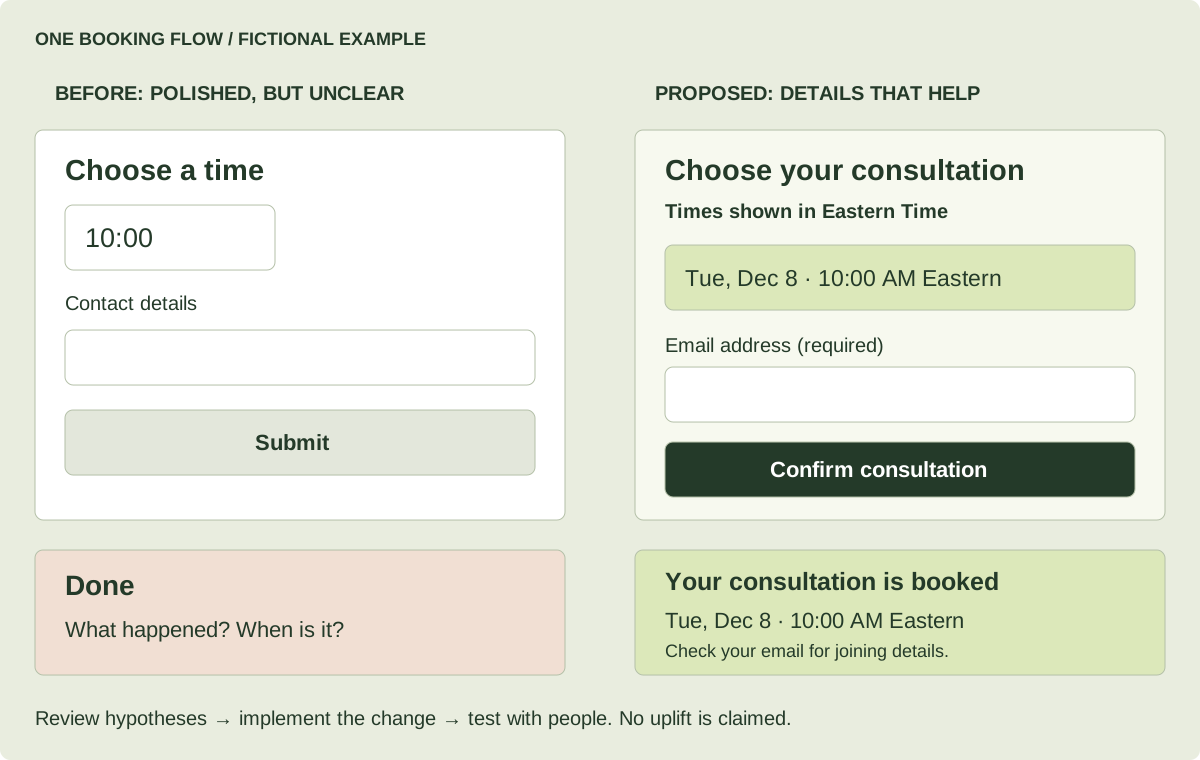
A WORKFLOW YOU CAN REPEAT
From a screen
to a next step.
One focused review gives your next design conversation something concrete to work with.
- 01
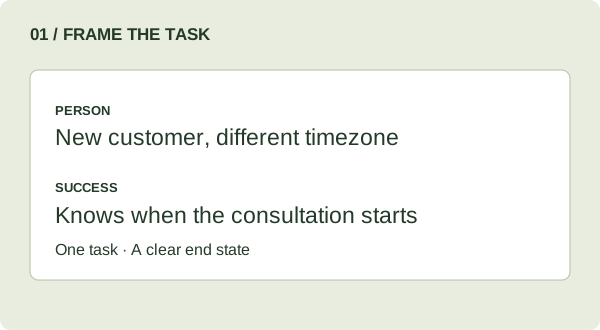
Choose one task.
Define who is using the flow and what they need to accomplish.
- 02
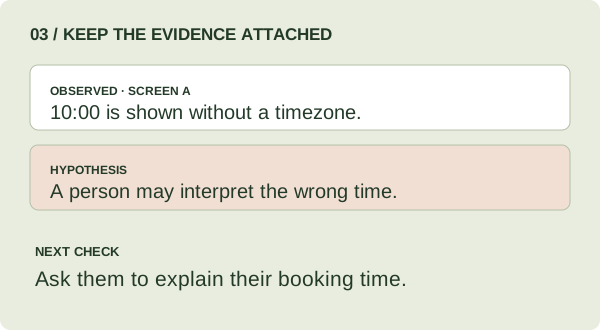
Find the friction.
Check what’s visible, test the behavior, and attach evidence to each finding.
- 03
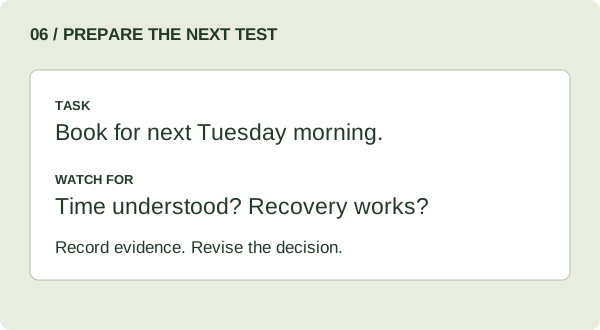
Decide what’s next.
Choose three priorities and plan a test that can confirm or challenge them.
THE UX DECISION REVIEW / WITH ASHLEY
A fresh pair of eyes.
A clear order
of action.
Before your next handoff, get focused feedback on the journey you’re unsure about.
Bring a signup, booking, onboarding or other core flow. Ashley reviews the experience, explains the concerns, and helps you choose what to improve first.
Explore the UX Decision Review See a sample review →ONE JOURNEY · UP TO FIVE SCREENS
- 01Annotated feedback
See the concern, its rationale, and the proposed change.
- 02Three priorities
Know where to focus your effort first.
- 03A 60-minute working review
Work through the decisions together.
- 04Your next test
A practical plan, plus one clarification round.
Start with a free 15-minute fit call. Scope and timing are agreed before payment.
 LEARN IT. TRY IT. MAKE IT YOURS.
BUILD YOUR AI + UX PRACTICE
Less blank page.
More real practice.
Work through a real design task with a guide beside you.
A FEW USEFUL ANSWERS
Know what
you’re getting.
Is this for experienced designers or beginners?
Both. If you’re already designing, start with a task-specific AI workflow or the review kit. If you’re new to UX, the foundations path explains the research, design and testing process.
Do I need a paid AI tool?
The review kit works in your browser without an AI account. For the optional AI critique step, use a tool you already have access to and check its upload and usage limits.
What’s free, and when would I pay?
The review kit, learning guides and downloadable resources are free. Pay when you want Ashley’s help with your own work: a $750 UX Decision Review, a $350 private AI working session, or a scoped prototype sprint or team workshop.
Compare ways to work together →Will the kit prove my design works?
It helps you identify concerns and decide what to test. Use a working prototype and research with real people to check whether your changes help them complete the task.
Two Mondays to a Side Hustle
Make a small digital product, a service offer, or a prototype with Ashley Kays Rabbitt. Practice validation, AI-assisted design and building, feedback, and a practical launch test.
December 7 & December 14, 2026
Mondays, 7–9 p.m. Eastern · Free for both Mondays
Zoom or in person in West Palm Beach
Optional Zoom support included: Orientation December 3, 7–8 p.m. EST; office hours December 8, 7–8 p.m. EST; December 10, noon–1 p.m. EST; December 13, 4–5 p.m. EST. Workbook and 30-day teaching replays included.
See dates & request a free place →One free request covers both Mondays. There are 20 total live places. Ashley reviews availability and confirms each place separately by email; a request does not reserve a seat. No card or paid session is required. Software and hosting costs may be separate.
One useful AI workflow for your design practice.
UXDesignCoach Daily brings one practical workflow or automation, three sourced developments, and guidance for applying AI to UX and product work. Keep human research, evidence and judgment in the loop.
Each issue includes clear steps, a reusable prompt or checklist, and checks before you use the output. Delivered around 8 a.m. Eastern.
Opens a dedicated MailerLite signup with email confirmation. This is separate from the Starter Kit and occasional updates; joining either does not enrol you in the other. Unsubscribe any time. Privacy.