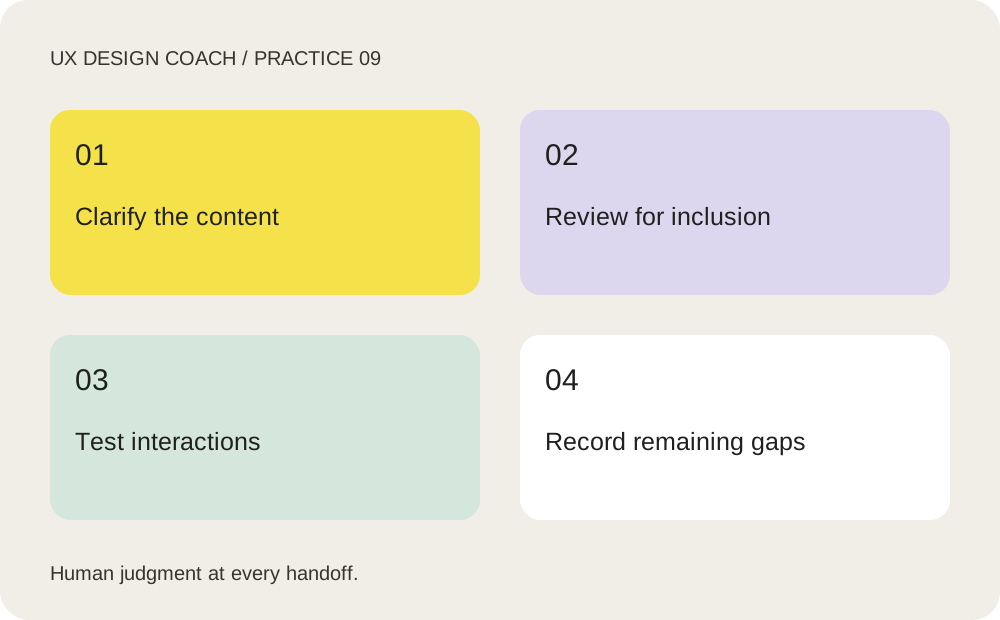
Do the work, step by step
- Supply the actual field rules, user goal and tone. Ask AI for concise labels, help text and error messages that explain what happened and how to recover.
- Review proposed copy for accuracy, plain language, blame, ambiguity and assumptions about ability or identity. Preserve required legal wording and product constraints.
- Use automated checks as one input. Manually test keyboard order, visible focus, zoom, reflow, contrast and error announcements in the implemented experience.
- Include people with relevant access needs in evaluation where possible and track issues by impact. AI can suggest checks; it cannot certify accessibility from a screenshot.
A prompt to adapt
Replace the bracketed inputs with your own context. Copy this prompt into your chosen tool.
Review this booking form’s labels, instructions and errors. For each, identify ambiguity and propose plain-language copy with a clear recovery action. Preserve [rules]. List accessibility questions requiring implementation checks. Do not claim WCAG conformance from this material.
Your practice assignment
Rewrite ‘Invalid input’ for an unavailable appointment time. Specify where the error appears, how it is announced and how the user selects another time.
Review checkpoint
The message is accurate, actionable and understandable; keyboard and assistive-technology behavior are checked separately from visual appearance.
Source and teaching context
W3C WAI: evaluating accessibility. Product and method references checked October 24, 2026. Exercises are UX Design Coach teaching recommendations, not measured tool benchmarks. Interfaces and plan access can change.
Get the free working templates →