AI & changing work
The AI experience designer’s opportunity: make the hard moments work
An impressive AI demo can still leave people confused when the answer is wrong, the request is unclear, or the next action has consequences. Design those moments well and you have a useful skill—and a stronger portfolio project.
In this guide
The useful starting point
Define the user's task, the result they need, and the point where judgment matters.
Start where the polished demo ends
Indeed’s 2024 article prompted this practical look at changing work.
A chat window is only one part of the experience. Someone must decide how users provide context, understand the proposed result, correct a mistake, and return to their work. Those decisions connect research, interaction design, content design, and product judgment. They can sit inside an existing product-design role even when the job title never mentions AI.
For your next project, choose one task with a clear finish line. A customer-support assistant that prepares a reply is a better starting point than an assistant that handles the entire business. You will have enough room to demonstrate depth without building a complicated product around an untested idea.
Design three moments that deserve attention
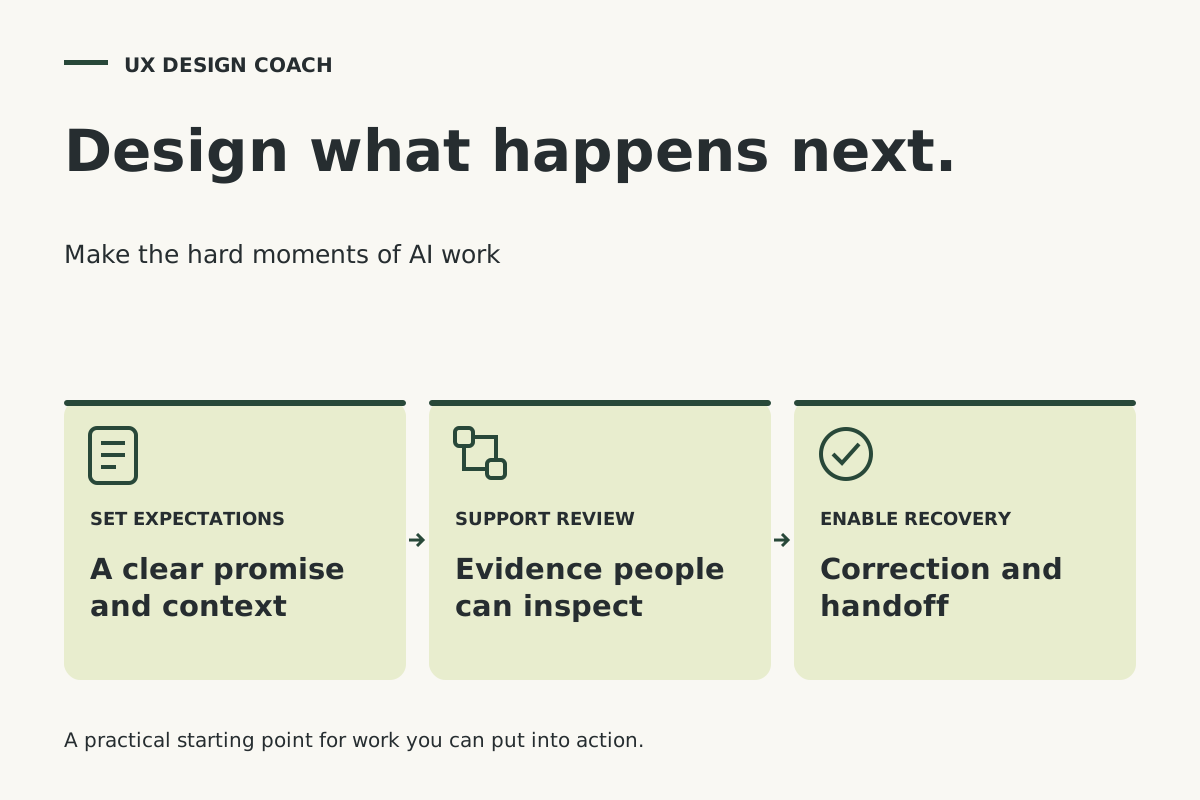
Before the work begins, make the promise understandable. Show what information the assistant uses, what it can produce, and what the person will need to review. Put essential context near the action. A general warning buried in a settings page will not help someone decide whether to send a customer reply.
During review, help the person inspect the parts that matter. For the support example, show the customer question, the relevant policy, and the proposed response together. Make an unsupported refund promise easy to spot. A useful interface supports comparison and correction instead of asking people to trust a polished paragraph.
When something goes wrong, give the person a productive next move. They might supply a missing order number, choose the correct policy, edit a response, or ask a colleague. Preserve their work through the handoff. Microsoft's Human-AI Interaction research and HAX resources offer a foundation for considering behavior across interactions and anticipating failures.
Your four-step starting plan
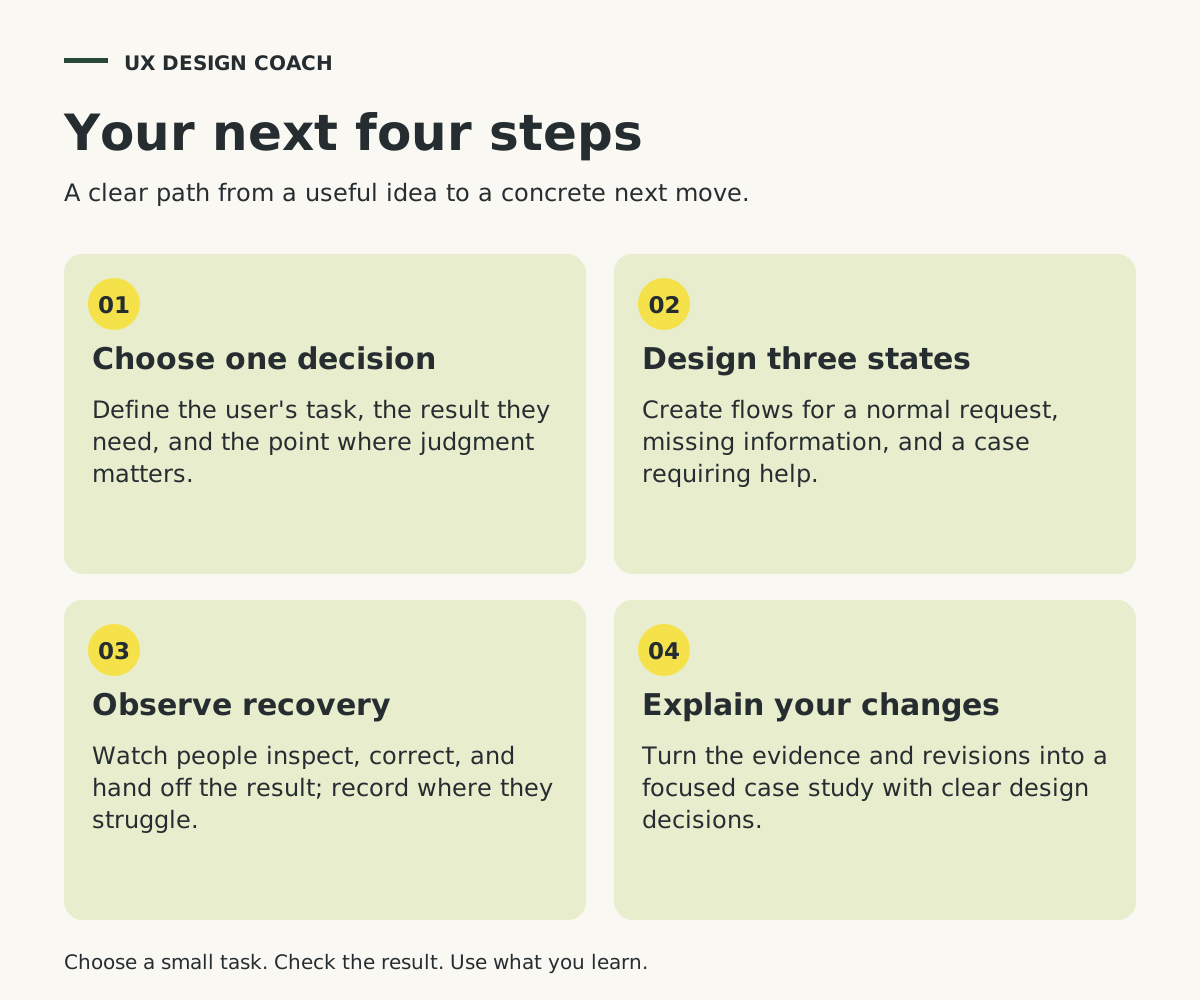
- Choose one decision
Define the user's task, the result they need, and the point where judgment matters.
- Design three states
Create flows for a normal request, missing information, and a case requiring help.
- Observe recovery
Watch people inspect, correct, and hand off the result; record where they struggle.
- Explain your changes
Turn the evidence and revisions into a focused case study with clear design decisions.
Try this project: a support reply that knows when to pause
Build a small prototype around a customer asking for a refund after the usual return window. Prepare three inputs: a clear eligible return, a request missing its purchase date, and a case requiring a manager's exception. Use sample orders and a short policy you create for the exercise.
In the straightforward case, the interface prepares a reply with its supporting policy. In the incomplete case, it asks for the missing date. In the exception case, it prepares a concise handoff explaining what the customer requested and why a decision is needed. Keep sending separate from preparing the draft.
Ask a few people familiar with support work to try each situation. Observe whether they notice the exception, find the relevant evidence, and recover without restarting. Record what happened and revise the flow. Your strongest case-study material may be a small change that made a confusing decision understandable.
Show the thinking that makes the interface valuable
Present the user's task, your assumptions, three interaction states, and the changes you made after testing. Include the language of the handoff and explain why the person receives control at that moment. Show a before-and-after screen only when the comparison helps someone understand the decision.
Separate a working integration from a prototype interaction. If the response is scripted, describe the flow you tested and the behavior a production system would need. That gives a reviewer an accurate view of your contribution without turning the case study into a technical report.
Our recommendation: learn enough about model behavior, evaluation, and data access to collaborate with engineers, then demonstrate what your design judgment adds. One well-explained recovery flow is a better next project than another collection of attractive chat screens. Bring your prototype and the decision you are struggling with to a UX coaching session.
Sources and further reading
- Indeed: Future-Proofing Your Workforce (updated October 31, 2024)
- Microsoft Research: Guidelines for Human-AI Interaction
Sources checked November 11, 2026. Review the linked publisher information for current details.
Put one idea to work
Bring a prototype, a case study, or one difficult interaction. Work through the decisions that will make it clearer and more useful.
Explore UX coaching →Explore more from UX Design CoachGet design practice in your inbox →Keep practicing
 Agent-friendly websites
Agent-Friendly Website UX: A Practical Audit Checklist
A practical UX guide to agent-friendly websites: accessible controls, clear states, llms.txt, task testing and a worked booking-flow example.
November 11, 2026 · 8 min read AI browser workflows
Use ChatGPT and three browser tabs for a more useful UX review
Compare visible interface patterns, keep observations separate from assumptions, and turn the review into one design question. Includes five illustrated steps and an example evidence log.
November 11, 2026 · 8 min read